POS for cafés, buffets, bars and restaurants
Run your restaurant on the tablet you already have.
Tables, the kitchen screen, QR ordering and the end-of-day count all live in one app. It runs in the browser, and everyone on your team can use it in their own language. There's no terminal to buy and nothing to install.
- No card to start
- Set up in an afternoon
- Cancel anytime
- Any device
- iPad, Android, phone, Windows or Mac, right in the browser
- PromptPay
- A QR for the exact amount on every bill
- Thai tax invoices
- A full ใบกำกับภาษี from any paid bill
- Thermal printers
- 58 and 80 mm receipts and kitchen tickets
A shift in FoodFlow
From the first table to the last count.
Here's how one evening looks when the whole service runs in one app. The kitchen and the till work from the same orders.
17:30Doors open
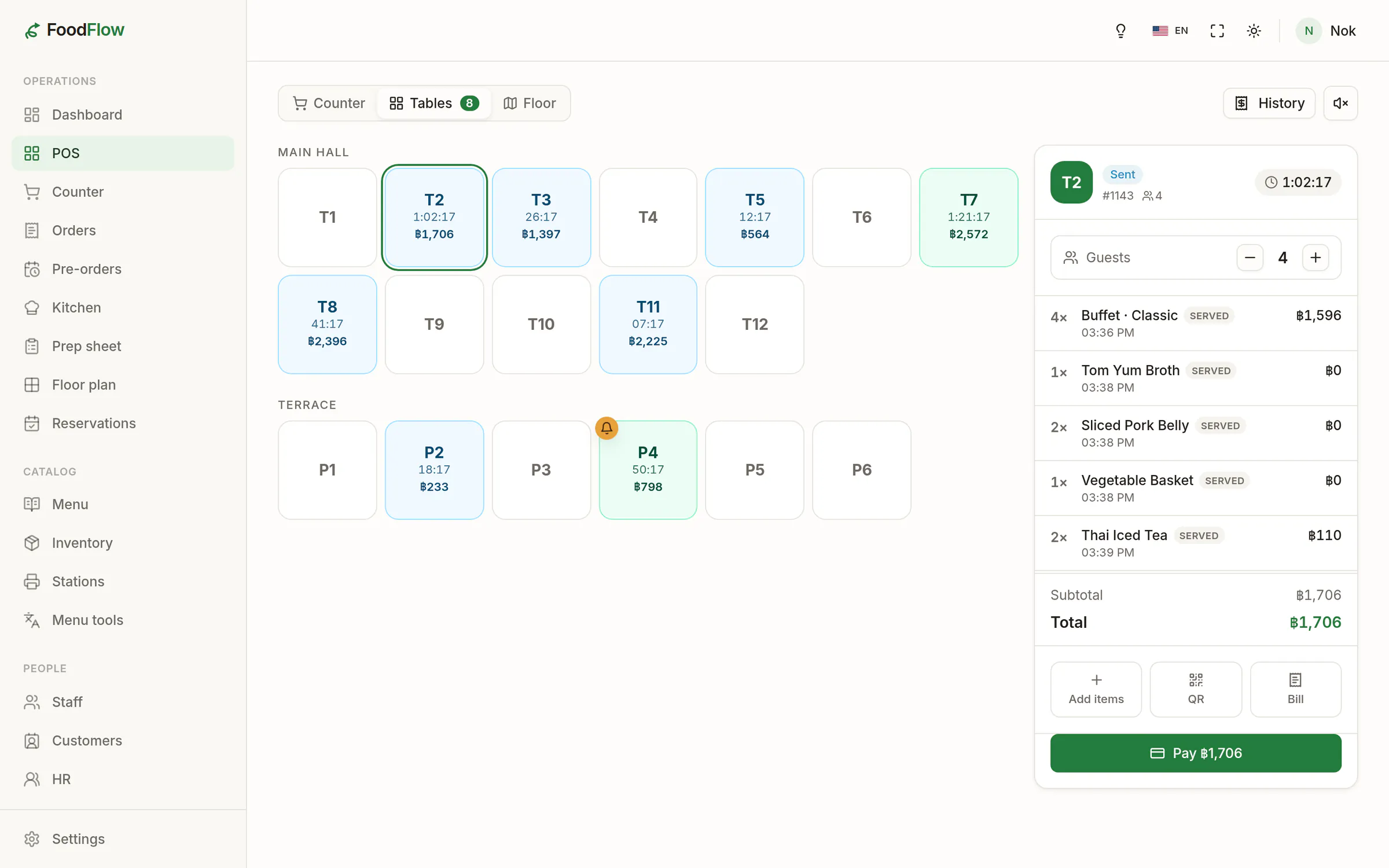
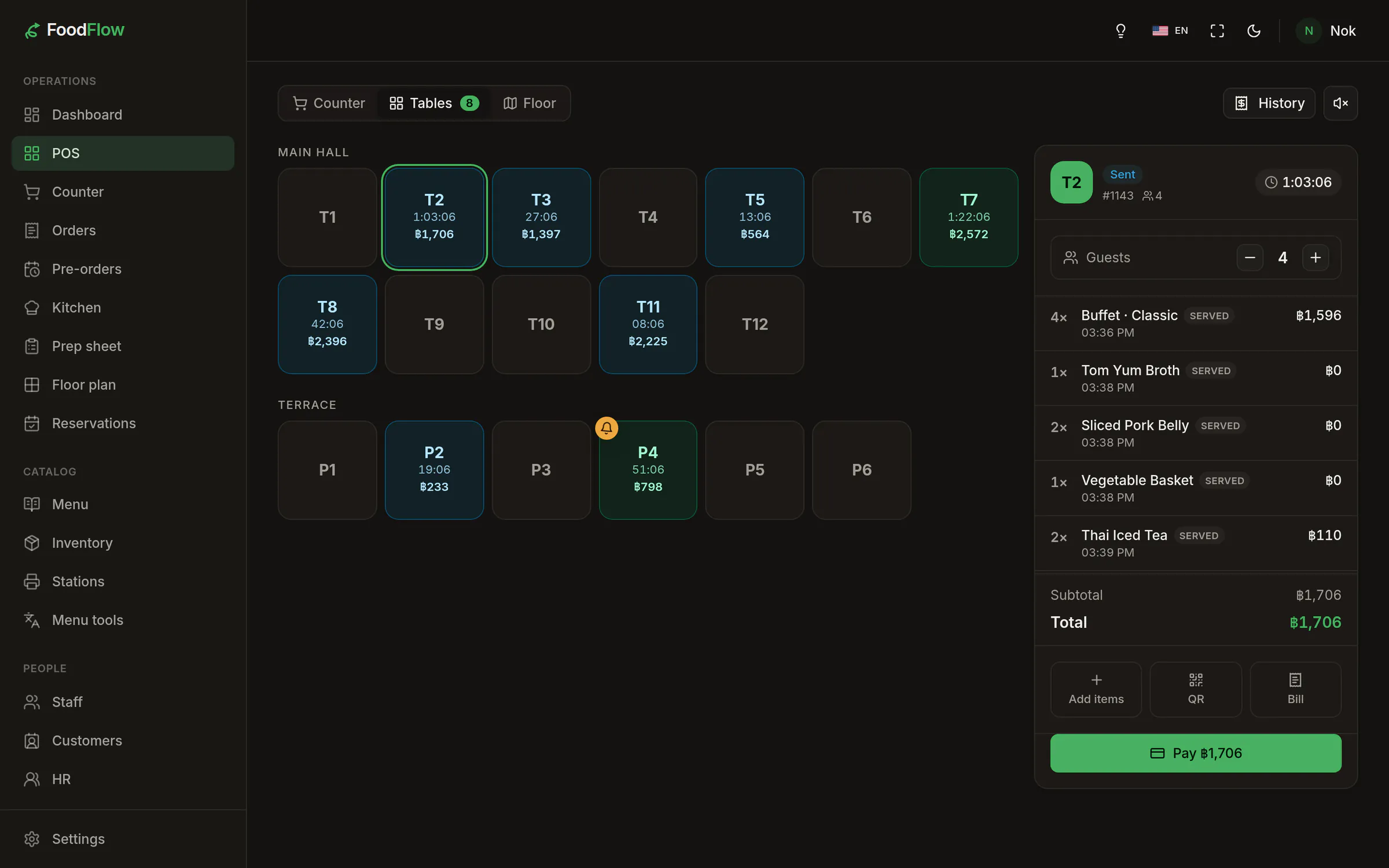
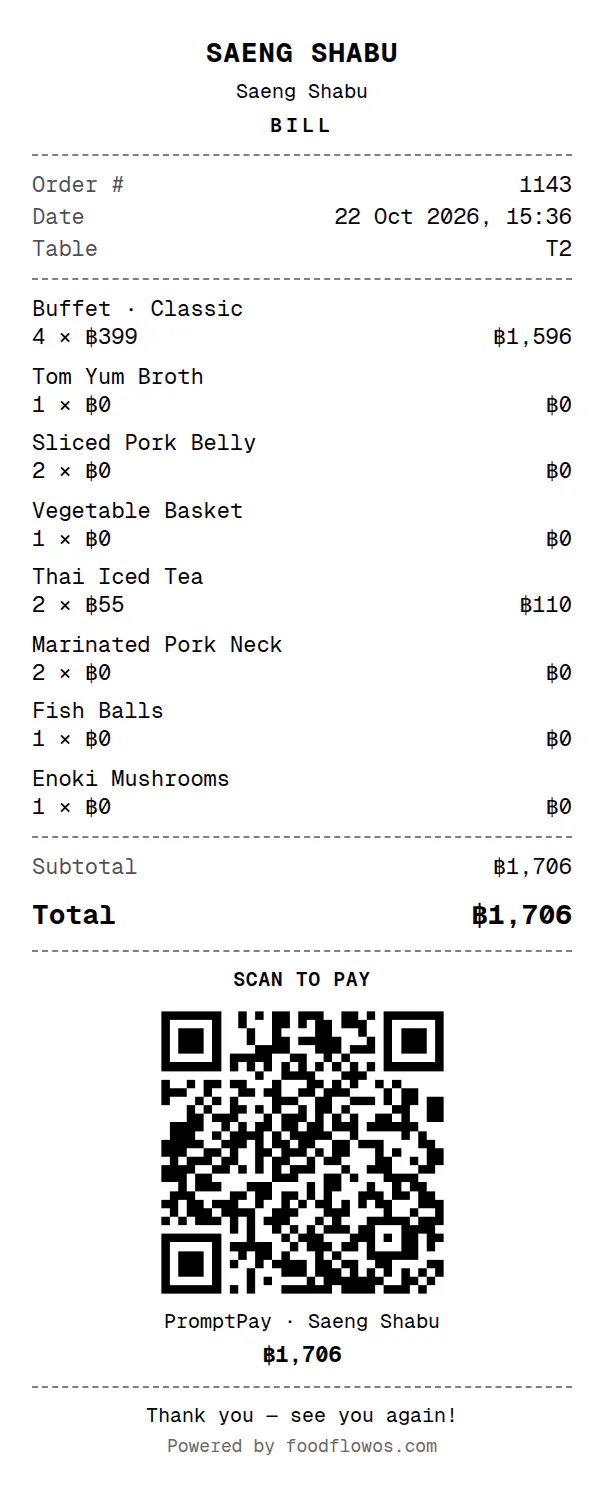
Every table and its bill, at a glance.
Tap a table to open a ticket or start a buffet. Add each round as it comes in and split the bill when guests ask. Take cash, PromptPay or card, and FoodFlow works out the change and prints the receipt once it's paid.
- Counter and table service on one screen
- The bill carries a PromptPay QR for what’s still owed
- Receipts on 58 or 80 mm paper, in the language you choose
18:10First rush
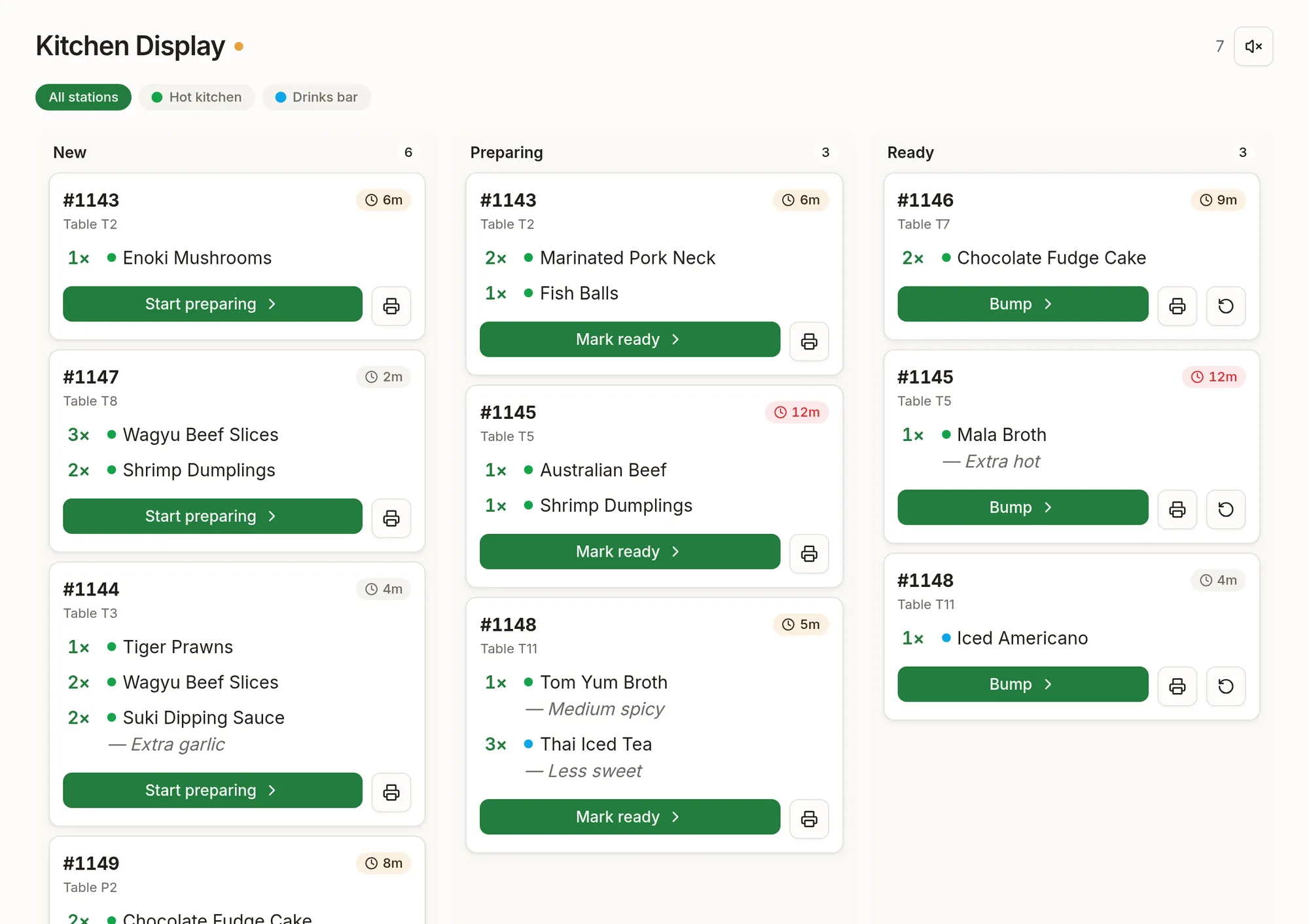
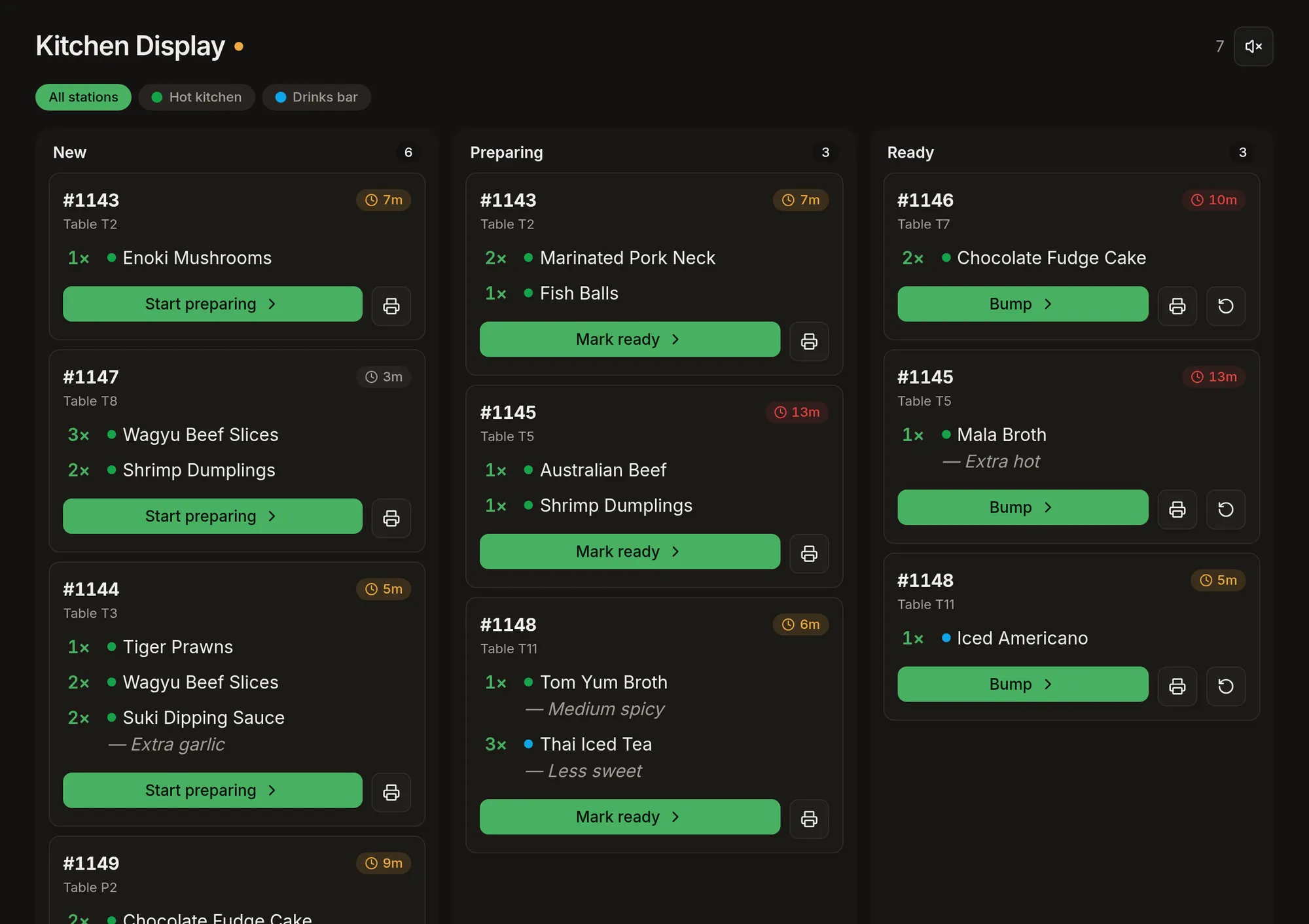
The kitchen sees it the moment it’s sent.
Orders show up on the kitchen screen round by round, with notes and spice levels where the cook will see them. Moving a dish from new to preparing to ready takes one tap each. If your kitchen prefers paper, print a ticket at each station instead.
- A separate screen for the kitchen and the bar
- Tickets turn red when they’ve waited too long
- A chime for every new order
19:45Round three
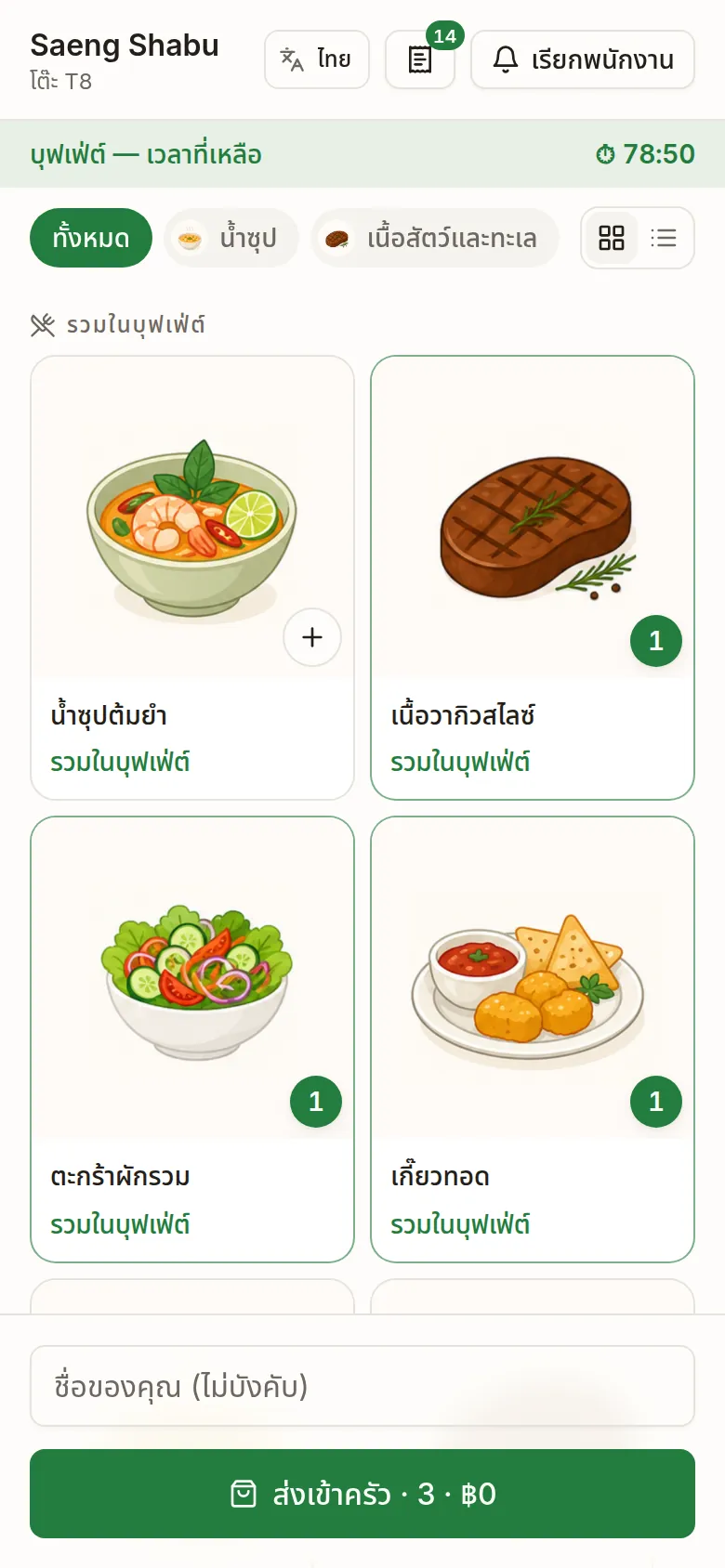
Guests order the next round themselves.
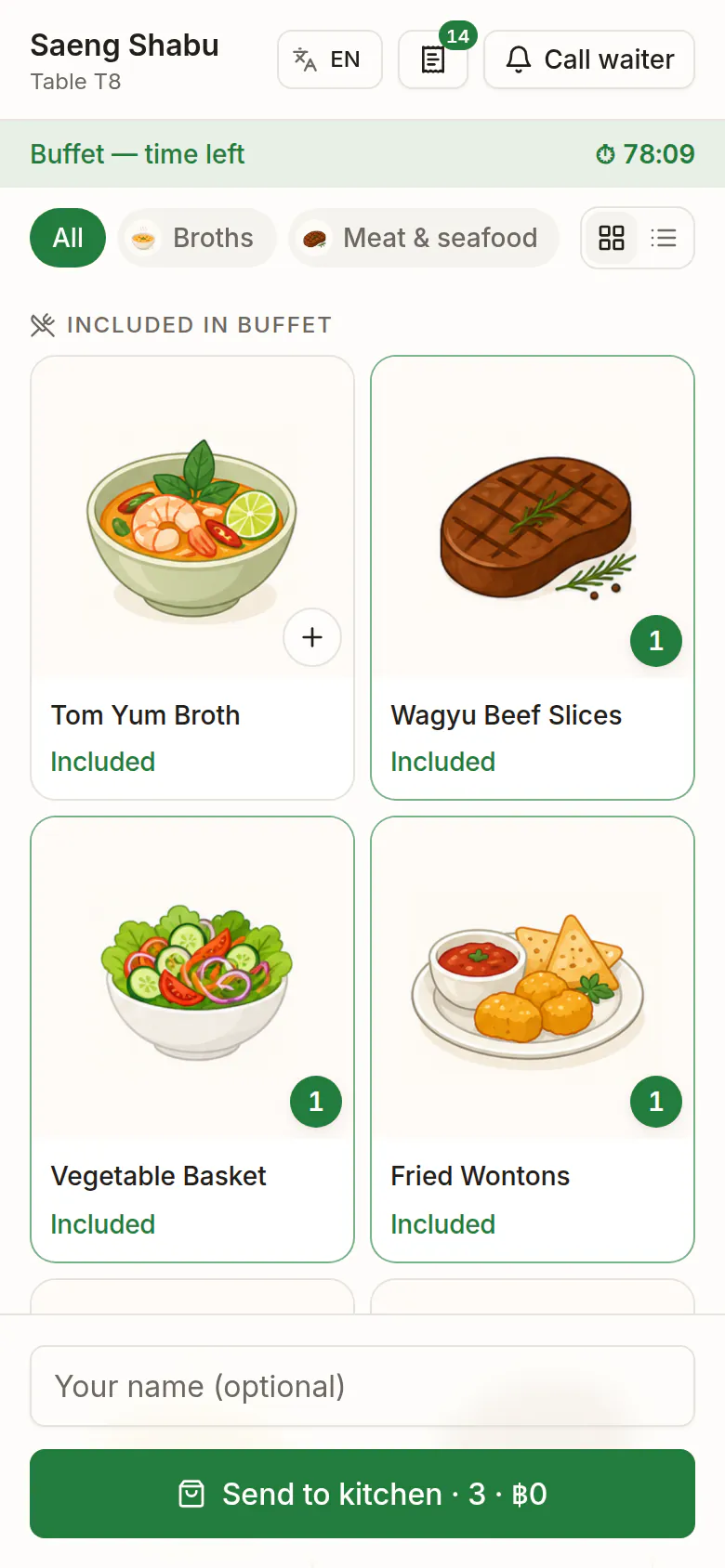
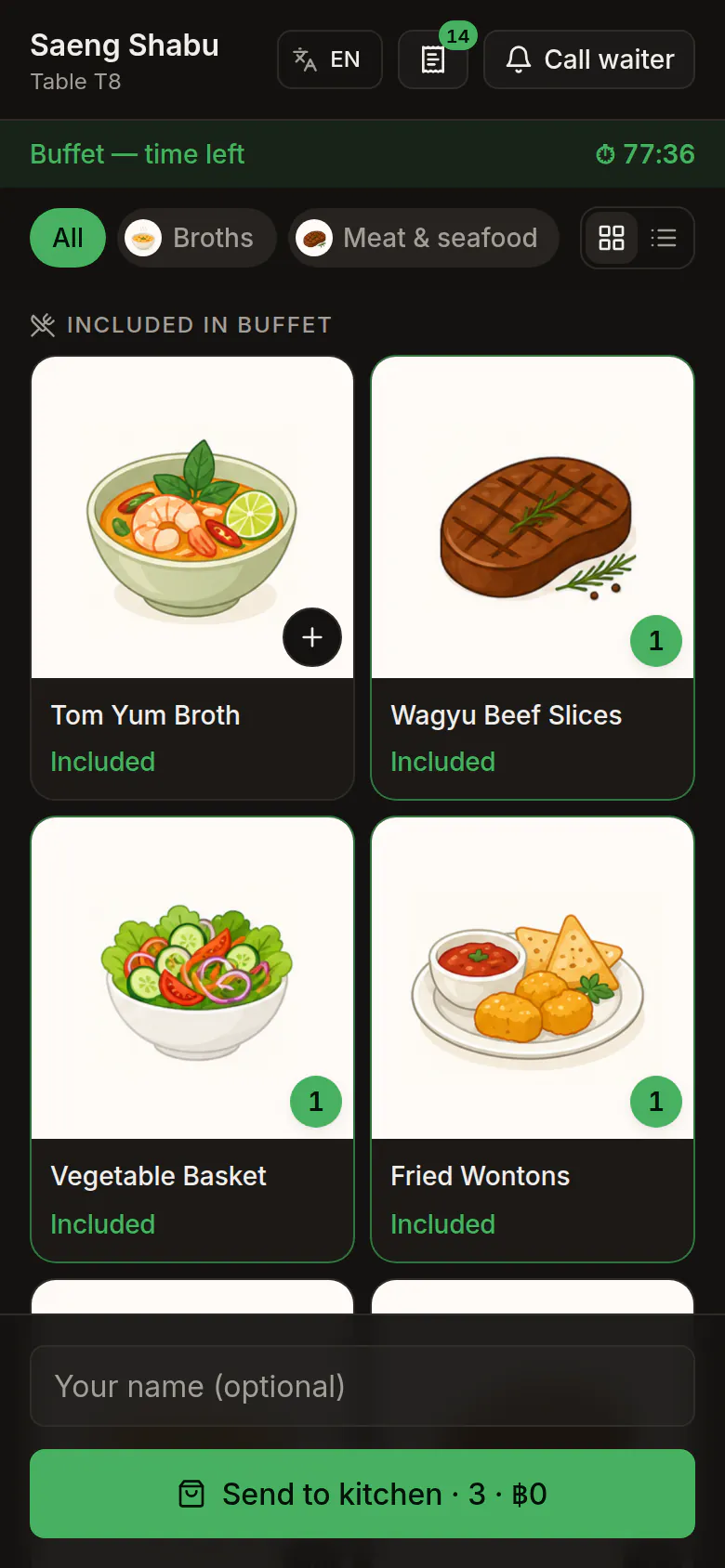
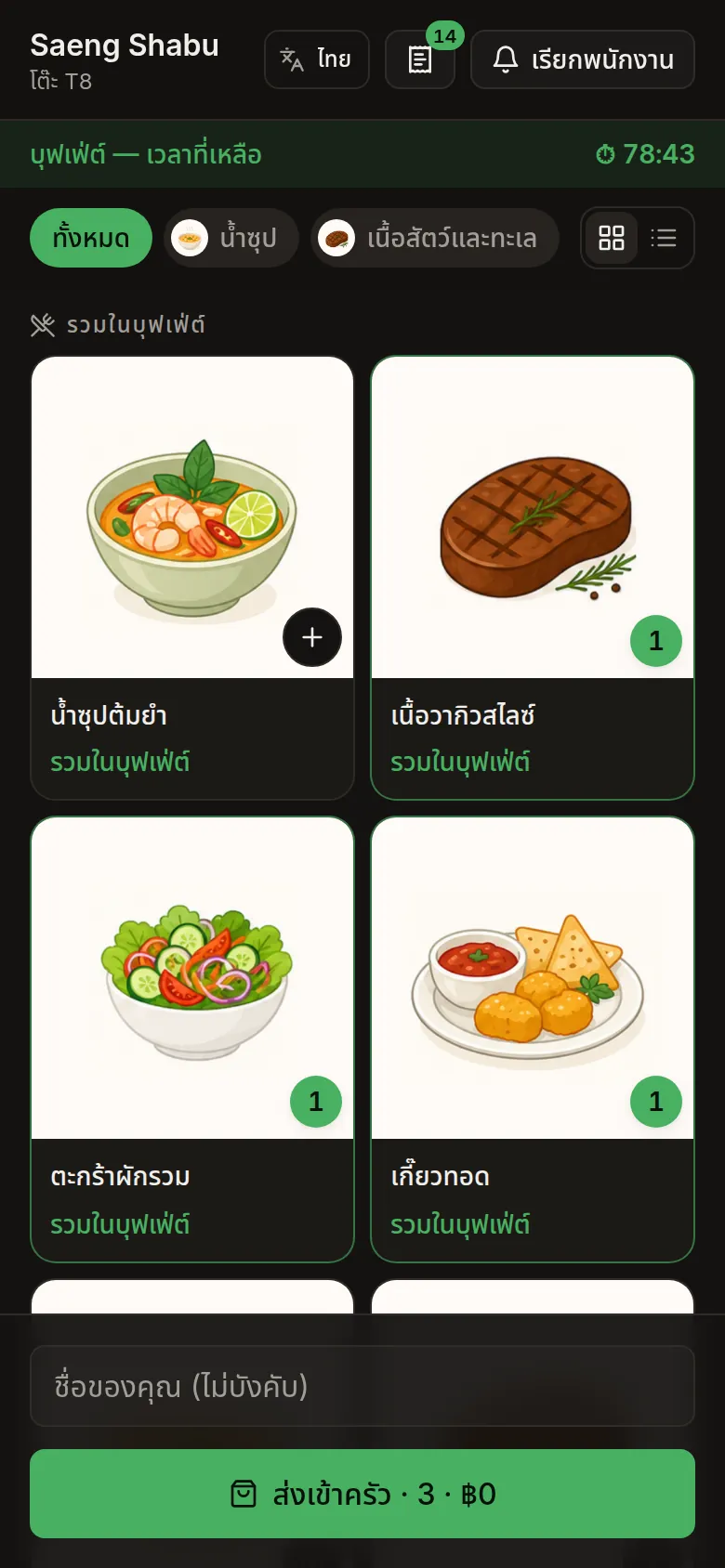
Every table has its own QR code. Guests read the menu in their own language, keep ordering on the same bill, and call staff with a tap. They don't need to download an app or make an account.
- Buffet tables see their time left
- Orders go straight to the kitchen screen
- Let tables order alone, or only once staff open them
22:30Lock up
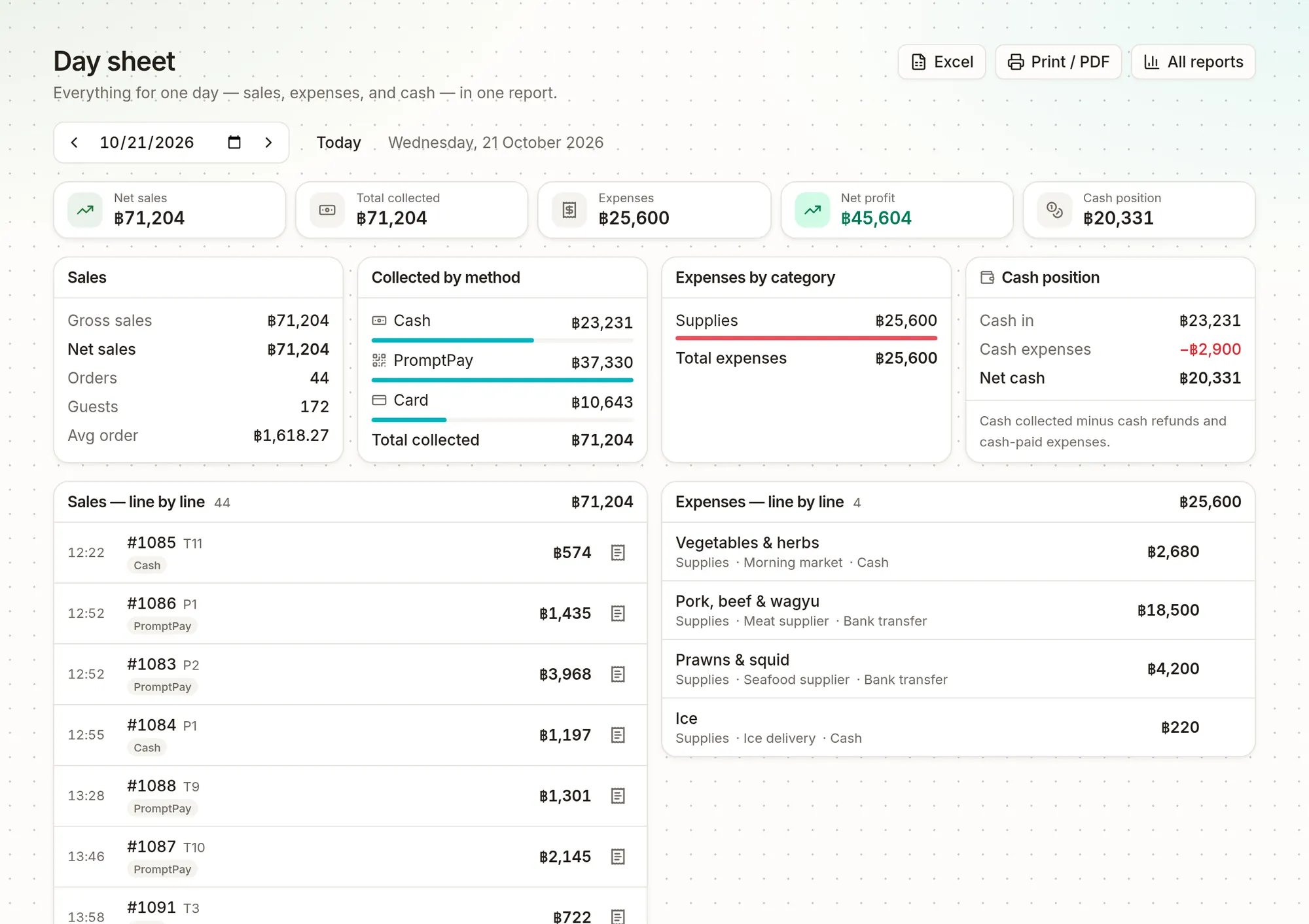
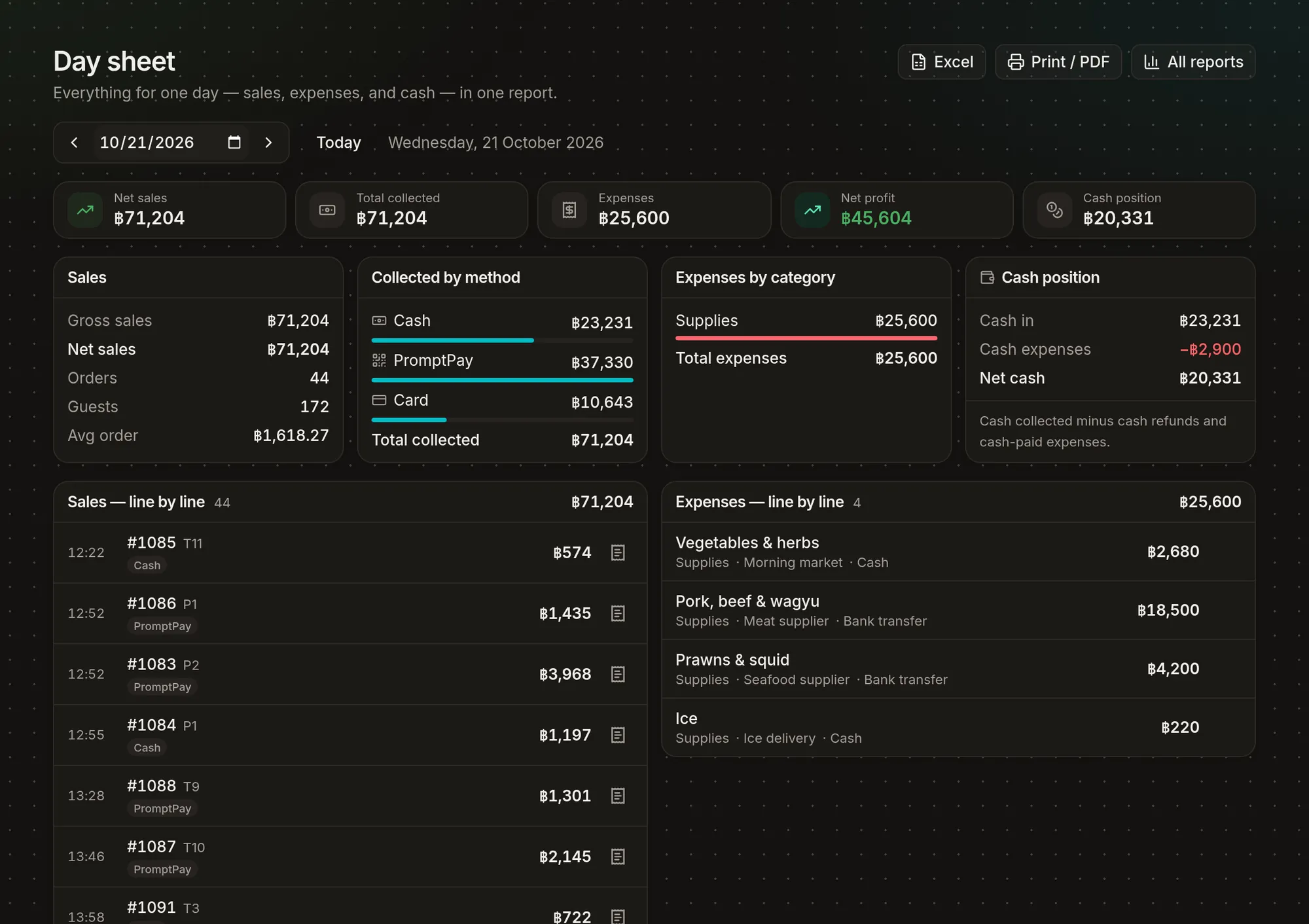
Know what you made before you go home.
Count the drawer against what the till expects and add the day's expenses. Then read a single page that shows your sales, cash next to bank, and everything that went out. Your accountant can have it as Excel or PDF.
- You count the cash, and any difference is flagged
- Cash, PromptPay and card side by side
- Today compared with the same weekday last week
Buffet, shabu & moo kratha
Made for buffets from day one.
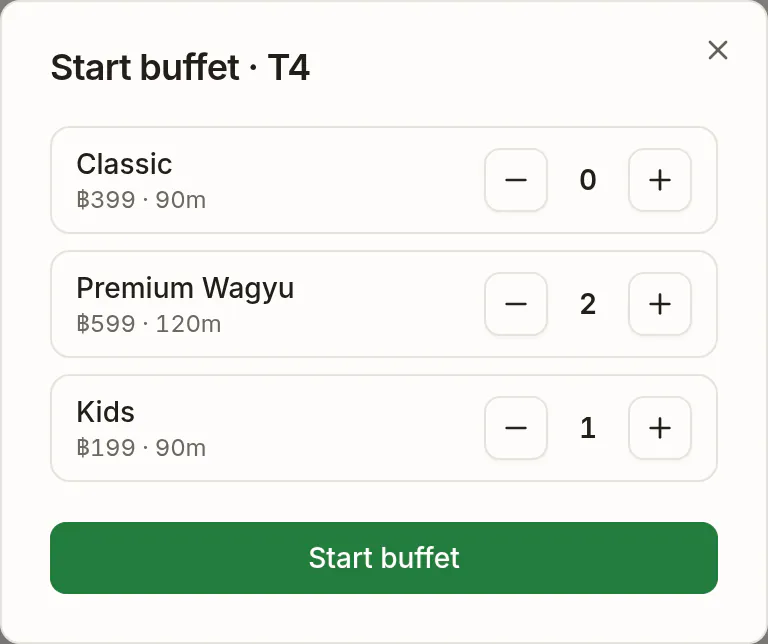
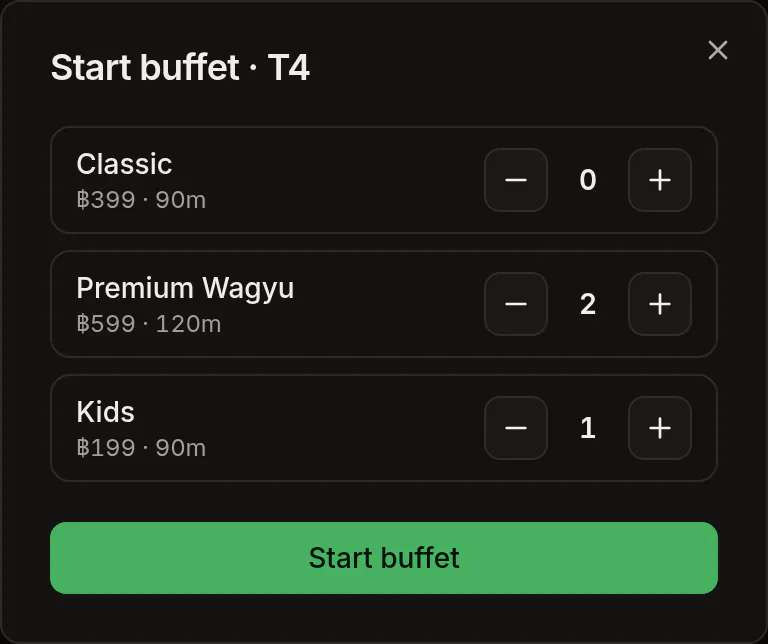
In a shabu or moo kratha shop, the price tiers, the clock and the refills are how you make money. That's why FoodFlow handles them at the till instead of leaving them to a notebook.
- Mixed tiers, one table
- Adult, premium and kids’ prices on one ticket, each with its own time limit and age band.
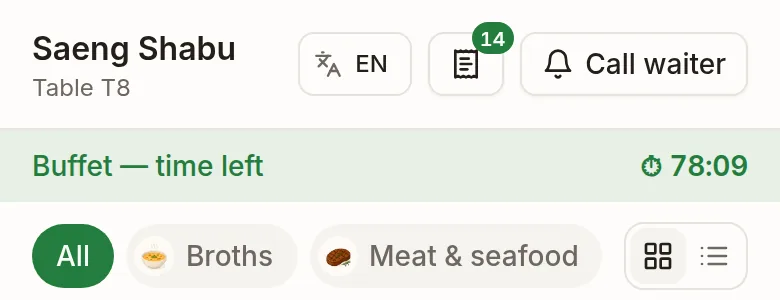
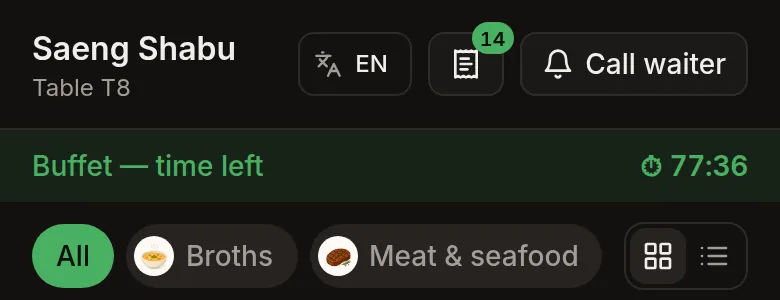
- A clock for every table
- Staff and guests both see the time left. Last orders close right on time.
- Refills free, extras charged
- Included dishes ring up at zero. Premium dishes carry the surcharge you set.
- Overtime and waste fees
- If a table runs over, FoodFlow works out the fee per guest and suggests it at the bill. You decide whether to add it.
Made for restaurants here
The details that make a POS fit.
They look small in a feature list, but they matter on a busy Friday night.
- 01
PromptPay on every bill
The bill shows a QR for exactly what’s still owed, and each payment is recorded against the bank account it went into.
- 02
Thai tax invoices
Issue a full ใบกำกับภาษี / TAX INVOICE from any paid bill, with the buyer’s name and tax ID, numbered in sequence. Credit notes are there when you need them.
- 03
Everyone in their own language
Staff work in their language, guests read the menu in theirs, and kitchen tickets print in the one your cooks read.
- 04
No terminal to buy
Any tablet, phone or laptop with a browser will do. Add a thermal printer and a cash drawer whenever you want them.
- 05
More than one branch
Each branch has its own tables, till, kitchen screen and receipt numbers, and you manage them all from one login.
- 06
New staff practise first
Practice mode lets a new hire ring up a whole table without touching real sales.
Also included
And the rest of the back office.
Every plan includes all of this. There are no add-on modules and no second app.
- Stock & waste
- Ingredients are deducted as dishes sell. Log waste with a photo, and get order sheets grouped by supplier.
- Prep forecast
- Tomorrow’s prep list, based on your own sales. It tells you honestly when there isn't enough history yet.
- Reservations & queue
- An online booking page, tonight’s bookings, and a queue guests can follow on their own phone.
- Customers & loyalty
- Members, points, birthday offers, gift cards and store credit.
- Staff & payroll
- Roles, schedules, clock-in with a selfie, leave, staff loans and monthly payroll with payslips.
- Cash & bank
- One till per branch, with every pay-in and pay-out recorded and bank deposits tracked.
- Menu tools
- Modifiers, combos, time-of-day prices, coupons, and menu import from a spreadsheet.
- Customer display
- A second screen facing the guest with the order, the total and the PromptPay QR.
- Reports
- Sales by day, dish and hour, profit per dish from your recipes, and exports to Excel and PDF.
- Your own page
- A free public page with your menu, opening hours and a booking link.
Getting started
Switching takes an afternoon.
There's no setup fee, nothing to install and no one to wait for. It takes three steps.
Start the trial
You don't need a card. Your shop, its first branch and its settings are ready as soon as you sign up.
Bring your menu
Fill in our spreadsheet or upload the export from your old system. Thai column headings work too. Check the preview, then save.
Add tables, print the codes
Name your tables, print a QR code for each one, and ring up your first order.
Would you like someone to walk you through it? Talk to us in English or Thai
Pricing
Pay monthly, or only for the days you open.
Every restaurant starts with a free trial. After that, pick the model that fits how you actually run.
Standard
$22/month
- Every feature included
- One branch · unlimited staff
- Unlimited orders, menu items & tables
Multi-branch
Most popular$69/month
- Everything in Standard
- Up to 5 branches
- Per-branch tills, staff & reports
Pay-as-you-go
from $1/open-day
- A day is only spent when you sell
- Closed days cost nothing
- Perfect for shops open a few days a week
Shops operating in Thai baht are billed in ฿; everywhere else in USD.
Every plan starts with a free trial, and you don't need a card. Running six or more branches? Talk to us
Do I need to buy new hardware?
No. FoodFlow runs in the browser on the tablet, phone or computer you already have. A receipt printer and a cash drawer are optional. To print without a pop-up, use Chrome or Edge on a Windows or Mac till.
What if the internet goes down?
FoodFlow needs an internet connection, and there's no offline mode. We suggest keeping a phone hotspot near the till as a backup. We'd rather you know that now than find out in the middle of service.
Can I bring my menu from my old system?
Yes. Fill in our spreadsheet or upload your old system’s export. Thai column headings are understood, and you can check the preview before anything is saved.
Which payments can I take?
Cash, PromptPay, card, bank transfer, gift cards and store credit. FoodFlow records how each bill was paid. Card payments still go through your own card terminal.
What happens when the trial ends?
You won't be charged, because you never gave us a card. Pick a plan to keep going, or simply stop.
Can I get my data out?
Yes. Sales, expenses, daily takings and stock reports export to Excel and PDF. Your data belongs to you.
Set it up today. Take orders tonight.
It's free to start. You don't need a card, there's no setup fee, and you can cancel anytime.
Contact
Get in touch.
Ask us about plans, a hardware package for your shop, a bug you ran into, or anything else. Send it here and we'll get back to you within one business day.
English & ไทย